Billing & subscription
Billing (sidebar → Billing, or avatar menu → Manage Subscription) is where you choose a plan, upgrade or downgrade, and manage payment. (/pricing brings you to the same place.)
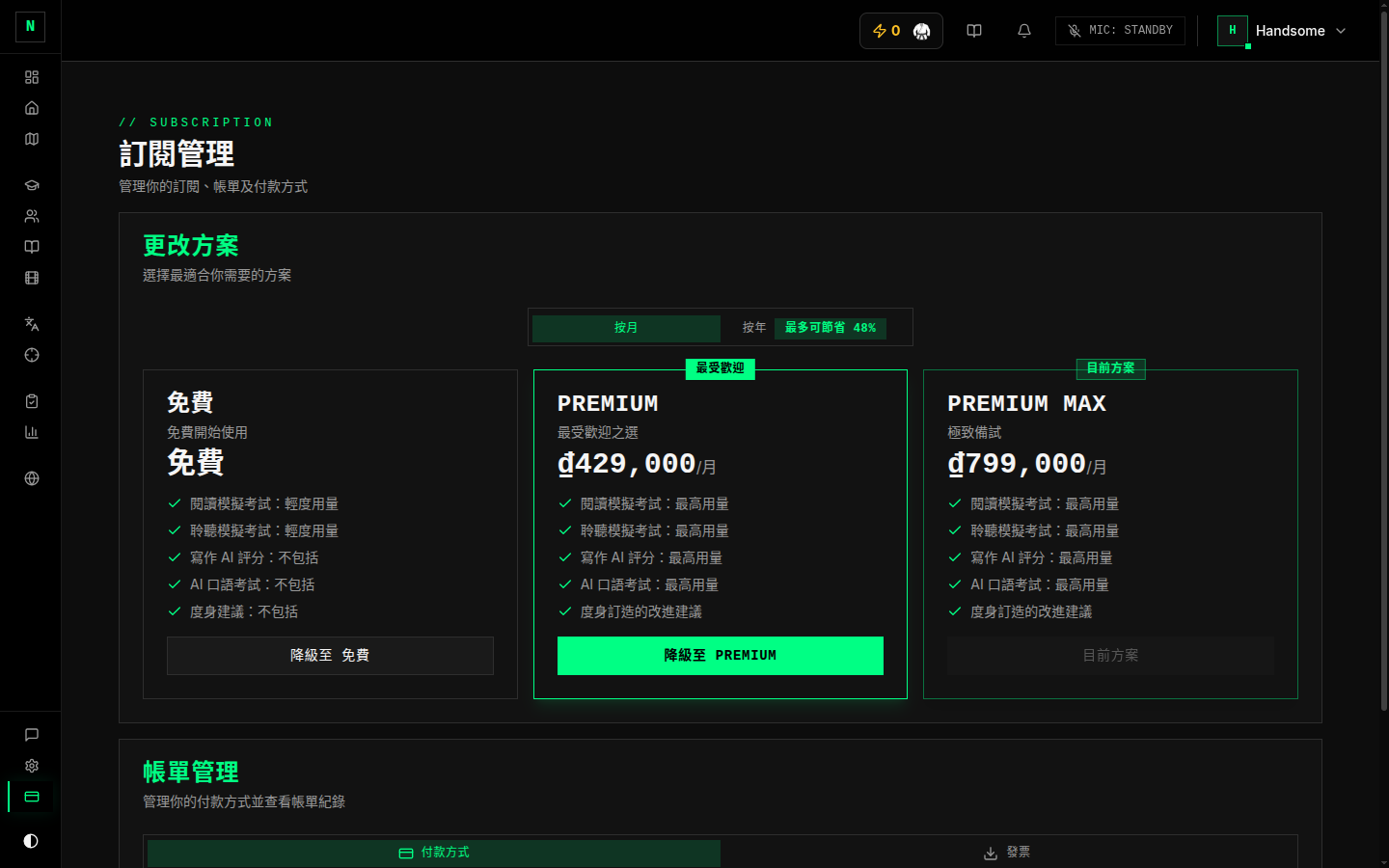
The plans
There are three tiers:
- Free — get started and use the core of the app.
- Premium — adds more, including AI marking for Writing and Speaking.
- Premium Max — the most generous tier.
The current prices, billing periods, and exactly what each tier includes (such as how many mock exams you get) are shown live on the Billing screen — that's always the accurate source of truth. This guide deliberately doesn't hard-code numbers that can change.
You can switch between monthly and annual billing; annual is usually discounted, and the screen shows the saving.
Upgrading
- Open Billing.
- Pick a plan and billing period.
- You're taken to secure Stripe checkout to enter payment details.
- On success you land on a confirmation page and then your Dashboard — your new features are active straight away.
Managing an existing subscription
From Billing you can:
- See your current plan and status.
- Change plan (upgrade/downgrade) — handled through Stripe's secure billing portal.
- Manage payment methods and view/download invoices.
- Pause or cancel — the app may offer alternatives (like pausing or a discount) before you confirm a cancellation.
Hitting a limit
If you try to start something your plan doesn't cover (for example, more mock exams than your tier allows), a prompt appears with the option to upgrade. You won't be charged anything without going through checkout.
Good to know
- Payments are handled by Stripe. Prep Roadrunner never sees your full card details.
- Currency is detected automatically and is fixed once you have an active subscription.
- Questions about a charge? Open a Billing thread in Messages.