Results history
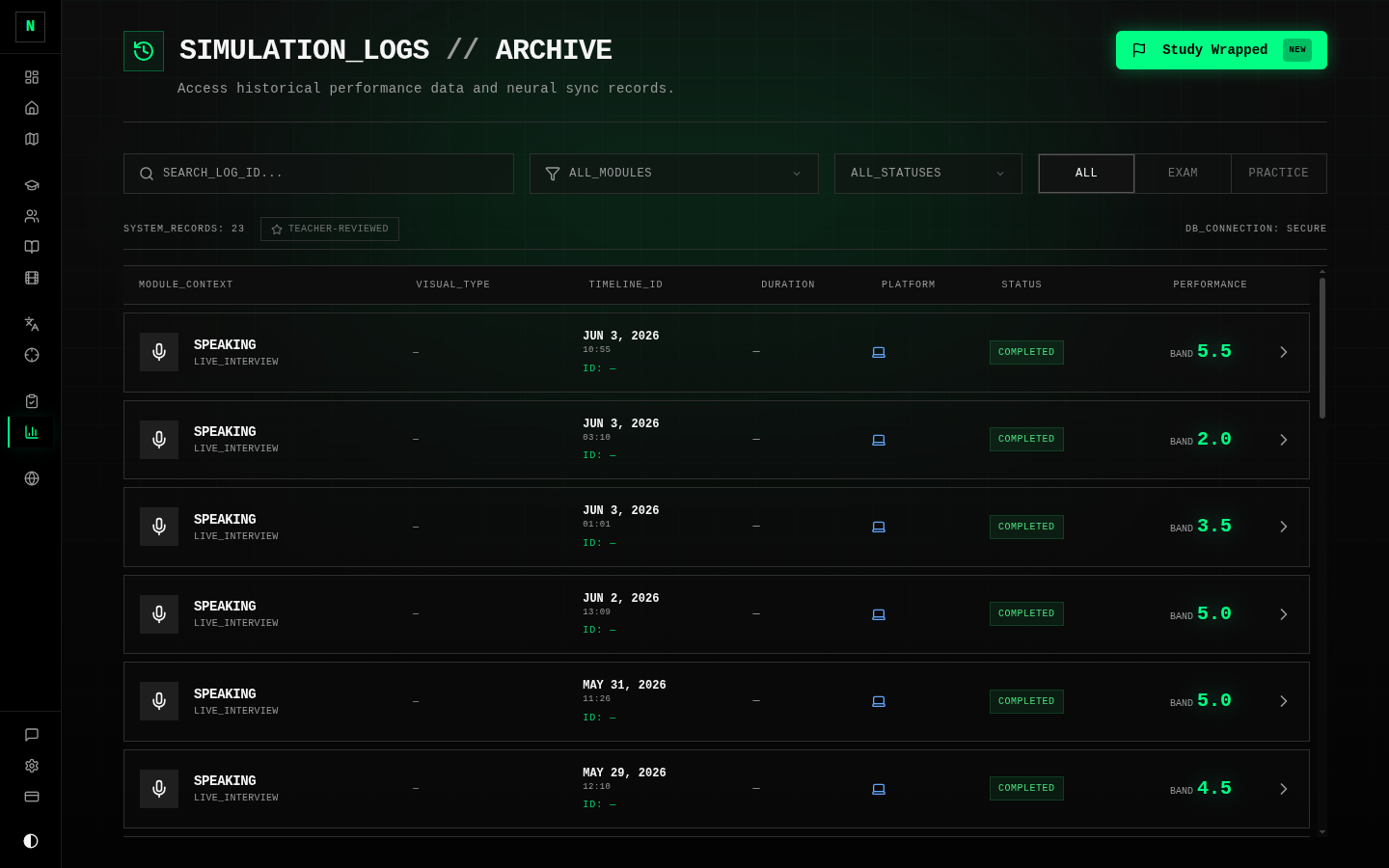
Results (sidebar → Results, also called Exam History) is the home of every exam you've taken. It's the same place you reach after finishing an exam — gathered into one list.
What you'll find
- A list of all your past attempts — most recent first — showing each exam's type, track, date, status, and score.
- Filters to narrow down to a particular skill or track, or to find teacher-reviewed exams.
- From each row: review the exam, or check status if it's still being marked.
What you can do from here
- Open the review to study a past exam question by question (or criterion by criterion). This is where the real improvement happens — see Results & review.
- Spot your trends over time — are your Reading scores climbing? Is Writing stuck on one criterion?
- Request a human review or share a result from a submission (see Results & review).
tip
Use the history as a feedback loop: before your next exam of a skill, re-read the review of your last one and pick one thing to do differently.
For the full detail of results pages, the review experience, expert reviews, and sharing, see Mock Exams → Results & review.