Settings
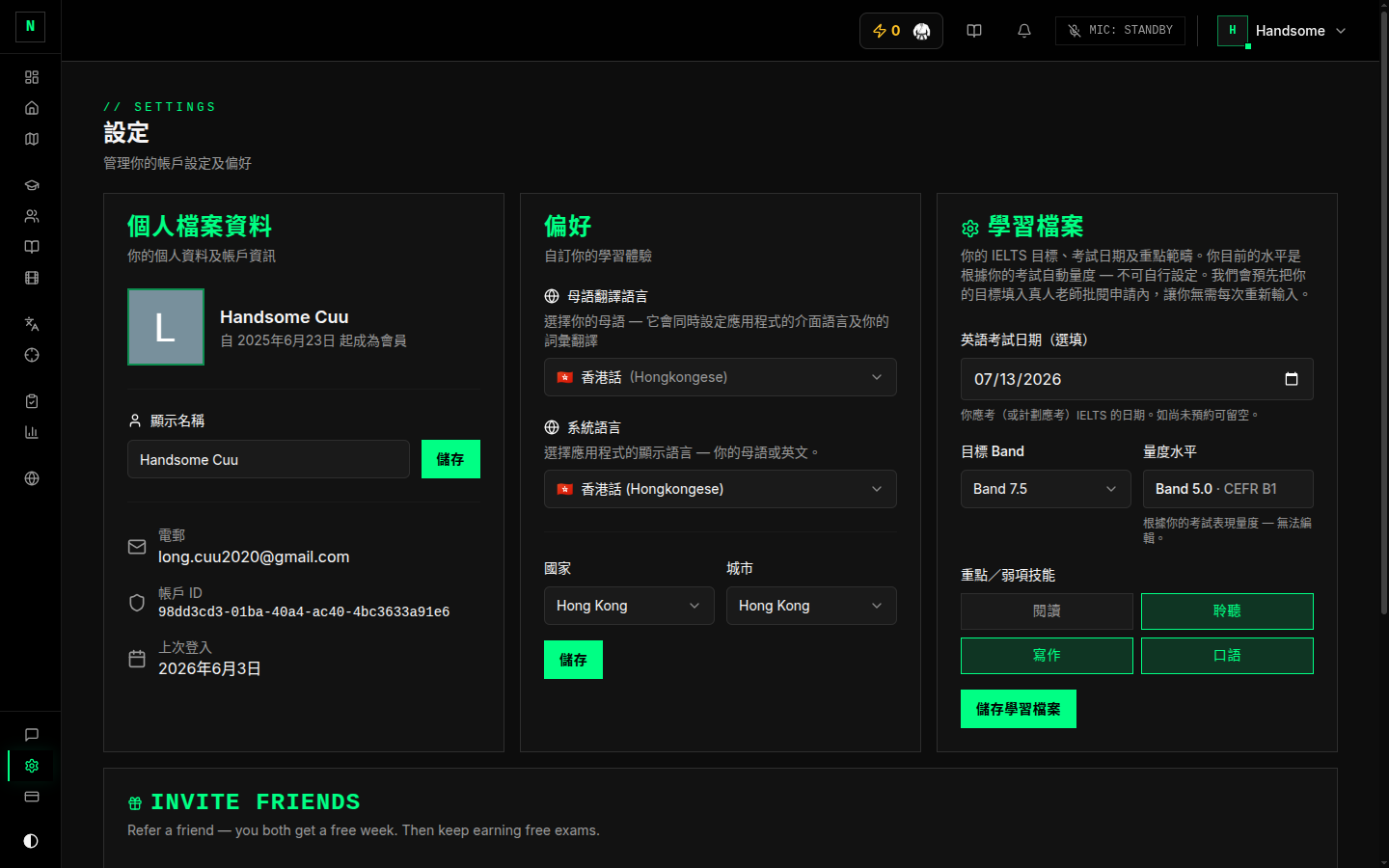
Settings (sidebar → Config, or your avatar menu → Settings) is where you manage your profile, preferences, and study goals.
Profile
- Display name — edit how your name appears.
- Email and account ID — shown for reference (from your Google account; not editable here).
- Last sign-in — when you last logged in.
Preferences
- L1 / native language — used to show translations of vocabulary words in your language.
- System (interface) language — the language the app's menus and buttons appear in. Currently available in English, Vietnamese, and Chinese; changing it updates the interface immediately. (This translates the app's chrome — buttons, labels — not the exam content itself.)
- Home country & city — where you're based (used by your Roadmap journey).
Study profile
This is the important one — it drives your dashboard and roadmap:
- Exam date — your target test date (powers the countdown).
- Target band — the band you're aiming for.
- Measured level — your current level, calculated automatically from your exam scores (read-only; shows
—until you've completed a marked exam). - Focus skills — which of Reading / Listening / Writing / Speaking you're prioritising.
Referrals
If referrals are enabled, you'll see an invite option here to share the app with friends.
Good to know
- Change these any time. Your target band, test date, focus, and languages are all editable here — they're not locked after onboarding.
- Measured level only moves with real exams. Take mock exams to update it.
- The theme (light/dark) is set from the user menu in the top bar rather than here.