Listening exam
The Listening test plays audio and asks you to answer questions about it. In Exam mode it's 4 parts, 40 questions, ~30 minutes, just like the real IELTS Listening test.
Setting up
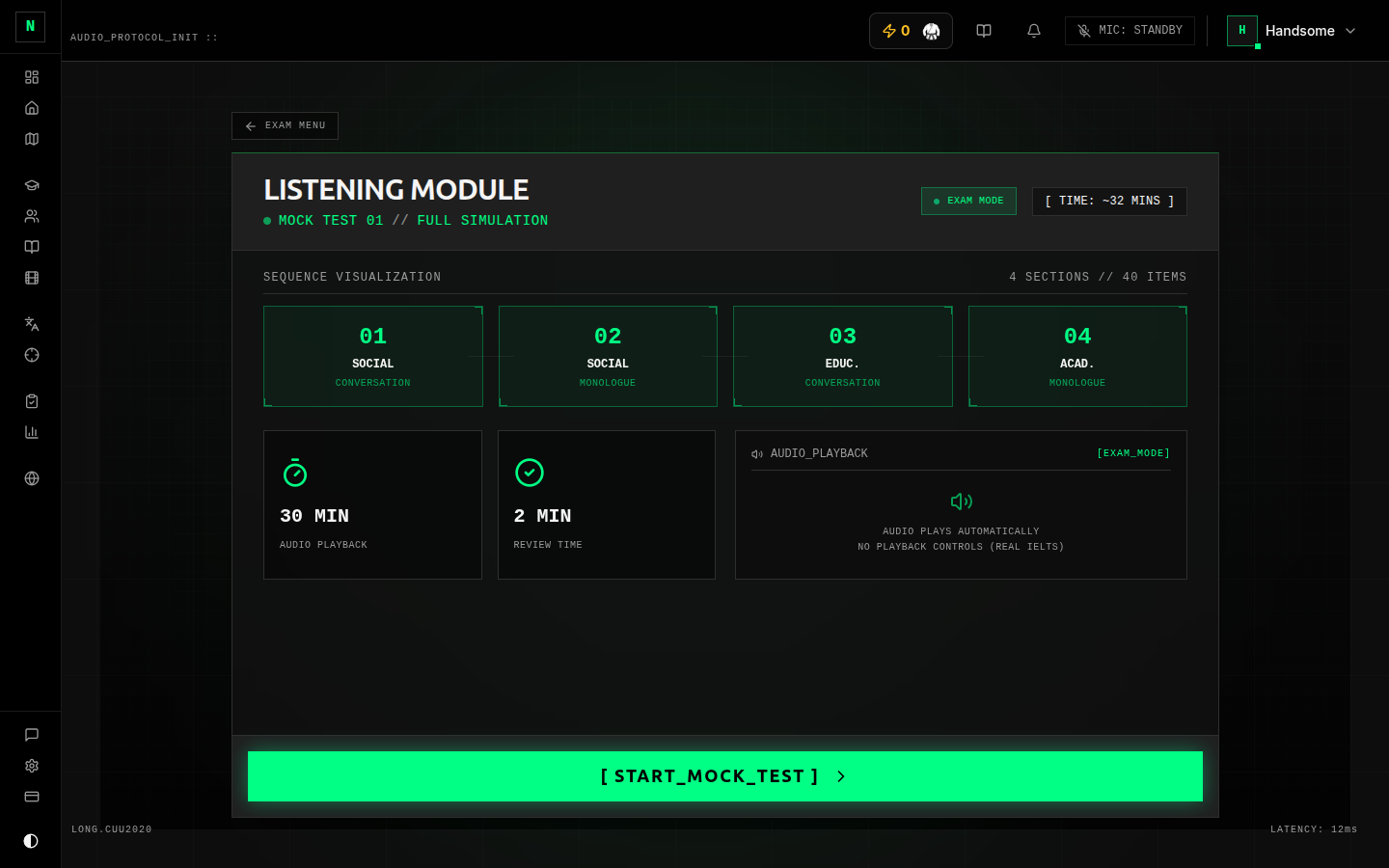 The Listening setup screen.
On the setup screen you choose:
- Exam mode or Practice mode (toggle).
- Exam mode → all 4 parts, the 30-minute timer, scored.
- Practice mode → pick a single part (1–4), with full audio controls (pause, rewind, scrub). Practice scores don't count towards your stats.
- Question type (Practice mode) — the setup screen shows a live inventory of the question types that actually exist in the available exams (e.g. multiple choice, form/note/table completion, sentence completion, matching, map/plan/diagram labelling). You can filter practice to one type to drill it.
Press START to begin. (If you've hit your plan's limit, an upgrade prompt appears here instead.)
During the exam
 Taking the Listening exam.
- Audio plays for each part. In Exam mode the audio behaves like the real test — it plays through; you can't freely scrub back. In Practice mode you get full playback controls.
- Question navigator — jump to any question; answered and flagged questions are marked so you can see what's left.
- Flag a question to come back to it later. Flagging doesn't affect your score.
- Timer counts down at the top and warns you as time runs low; when it reaches zero the exam submits automatically.
- Your answers auto-save as you go — there's no "save" button to worry about.
When you're done (or time runs out), submit. Listening is scored instantly.
Question types you'll meet
The exact mix depends on the test, but expect the standard IELTS Listening types:
- Multiple choice (one or several answers)
- Form / note / table / flow-chart / summary completion
- Sentence completion and short answer
- Matching
- Plan / map / diagram labelling
Completion and short-answer questions have a word limit (e.g. "no more than two words and a number"). Going over the limit makes an otherwise-correct answer wrong — exactly as in the real test.
After you submit
You'll see your band score and a breakdown by part and question type, plus a review where you can compare your answers with the correct ones. See Results & review.
Tips
- In Exam mode you only hear the audio as it plays — train yourself to read the questions ahead during the pauses, like the real test.
- Use Practice mode + a single question type to attack a weakness (e.g. map labelling) without sitting a whole test.
- Spelling counts. A correctly-heard word spelled wrong is marked wrong.