Speaking exam
The Speaking test is a spoken conversation with an AI examiner, in three parts (~11–14 minutes), just like a real IELTS Speaking interview. You'll need a microphone and a quiet room.
Setting up
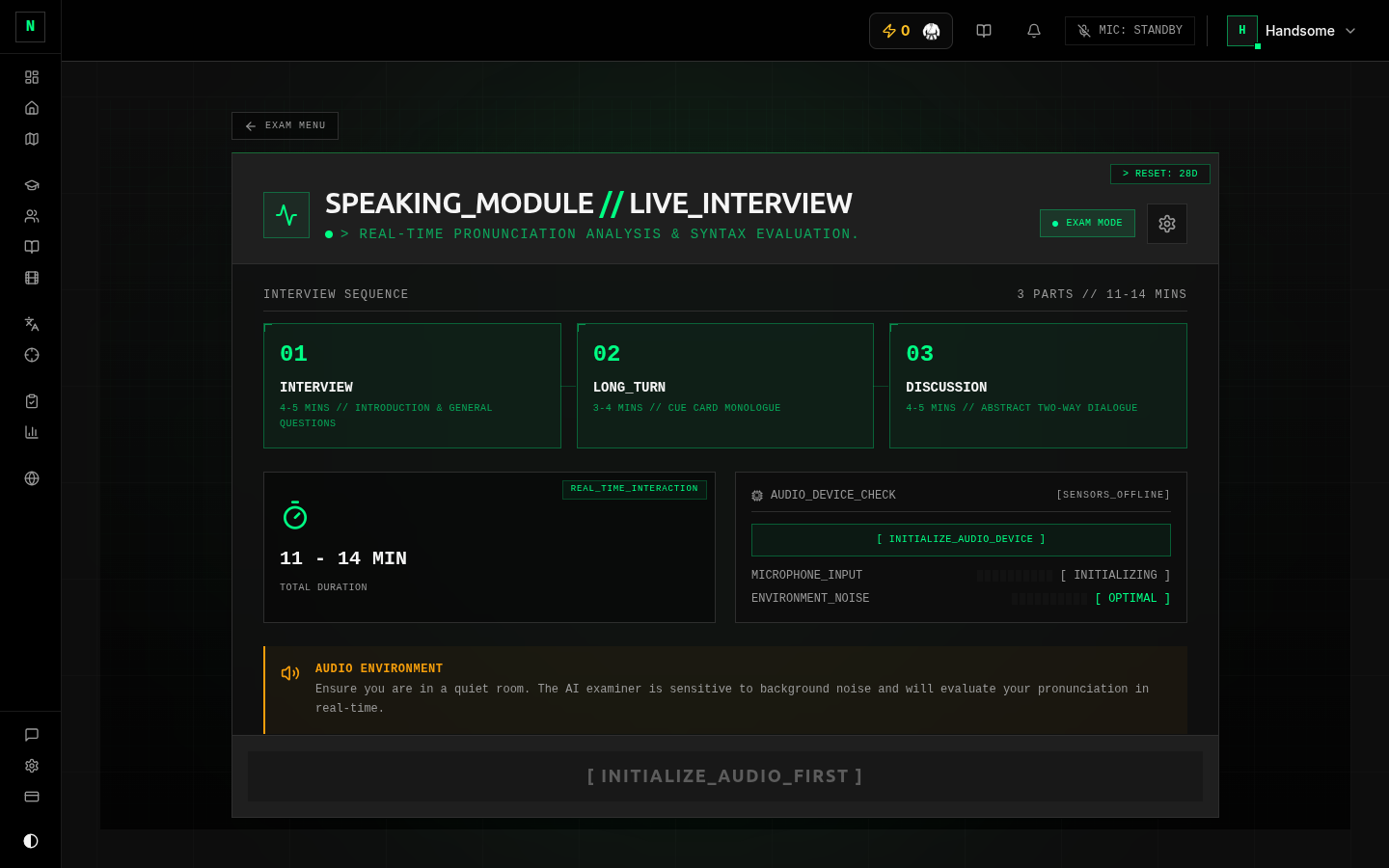 The Speaking setup screen.
Before you start you can choose:
- Examiner appearance (avatar mode):
- Voice only (default) — just the examiner's voice. Fastest to start and lightest on your connection.
- Female avatar / Male avatar — an animated examiner face that speaks. More immersive, slightly more to load.
- Examiner voice — pick the accent/voice you'd like to be interviewed by.
- Microphone check — confirm your mic is working before you begin. The indicator moves when it hears you (
IDLE→READY/ONLINE). Allow microphone access when your browser asks.
Press START when your mic shows it's picking you up.
Headphones stop the examiner's voice leaking into your microphone, which keeps your transcript clean and your fluency score fair.
During the exam
 Taking the Speaking exam.
The examiner leads the conversation through the three IELTS parts:
- Part 1 — Interview (~4–5 min): everyday questions about you (home, work/study, hobbies, routines). Answer naturally in a sentence or two.
- Part 2 — Long turn (~3–4 min): you get a cue card with a topic, one minute to prepare, then you speak for up to two minutes without interruption.
- Part 3 — Discussion (~4–5 min): deeper, more abstract follow-up questions on the Part 2 theme.
While you speak, the app listens and shows the conversation. When you finish an answer and pause, the examiner moves on — so speak in full, complete turns rather than one word at a time.
Marking
After the interview ends, your speaking is marked by AI — usually within a few minutes (longer at busy times). You'll get an overall band plus the four official Speaking criteria:
- Fluency & Coherence
- Lexical Resource
- Grammatical Range & Accuracy
- Pronunciation
The results include a transcript of the whole interview and playback, so you can hear exactly what you said. See Results & review.
Tips
- Talk in full answers. Long pauses can make the examiner think you've finished. Aim for developed responses, especially in Parts 2 and 3.
- Use the Part 2 prep minute — jot a few keywords so you don't dry up mid-turn.
- Quiet room, good mic. Background noise and clipped audio hurt both the transcript and your Pronunciation/Fluency scores.
- Warm up first with speaking games in the Practice Dojo — they get you talking with no marking pressure.