Vocabulary
The Vocabulary builder (sidebar → Vocabulary) is your personal word bank. You collect words as you study, then lock them into memory with spaced-repetition review and pronunciation practice. It has several connected screens.
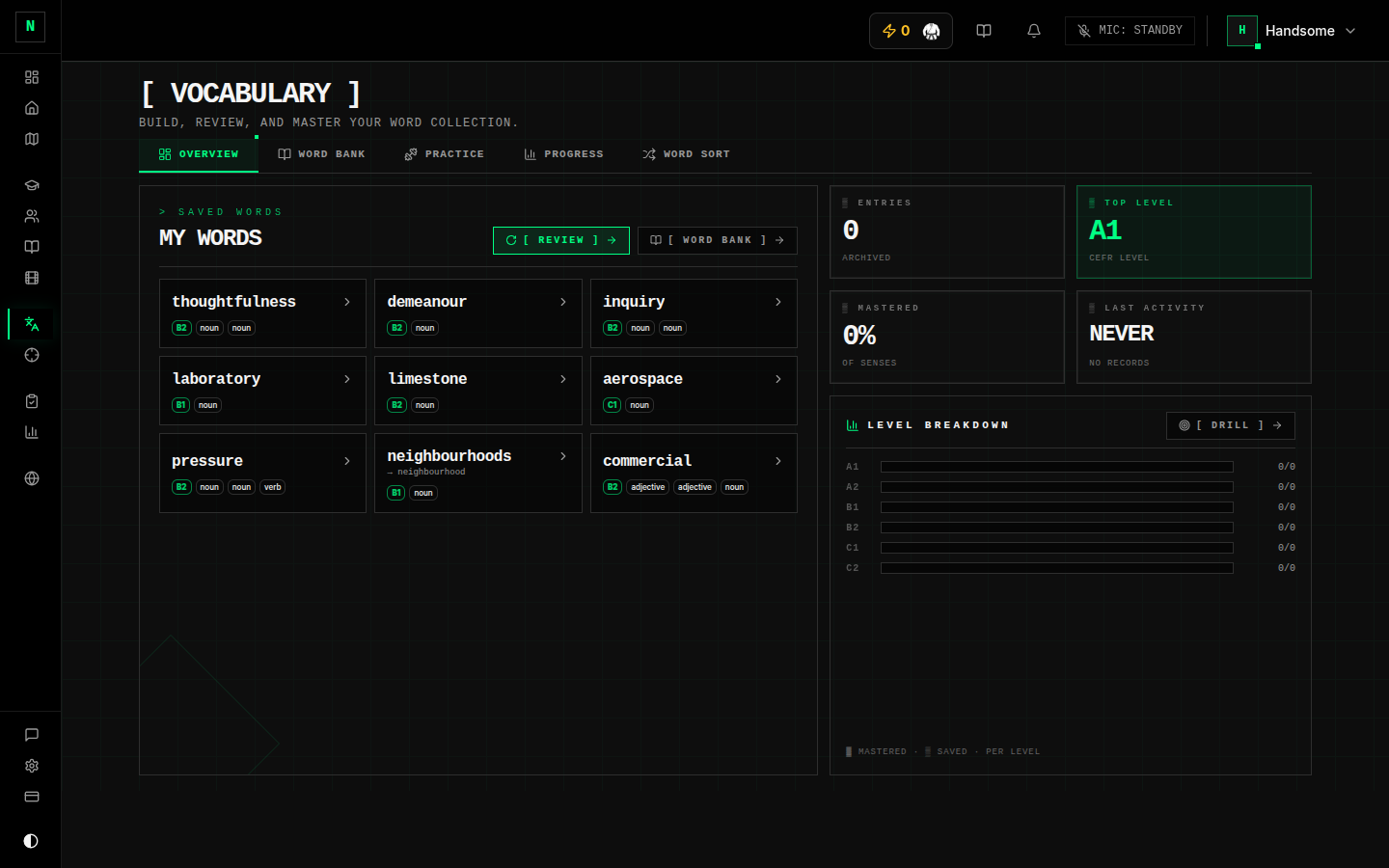
Building your word list
You add words two ways:
- As you read or study — click a word in Novel Nook, in dictation, or in a speaking transcript to save it to your bank (with its definition, pronunciation, and a translation in your language).
- Inside the vocabulary section — browse and add from there.
Each saved word becomes an entry with its meaning(s), pronunciation, and example usage.
Browse
The browse view is your searchable, filterable word list. Filter by part of speech, level (CEFR A1–C2), or learning status, and open any word for full details (definition, pronunciation, examples, translation). You can organise words into your own groups (e.g. "Academic", "Phrasal verbs").
Review (spaced repetition)
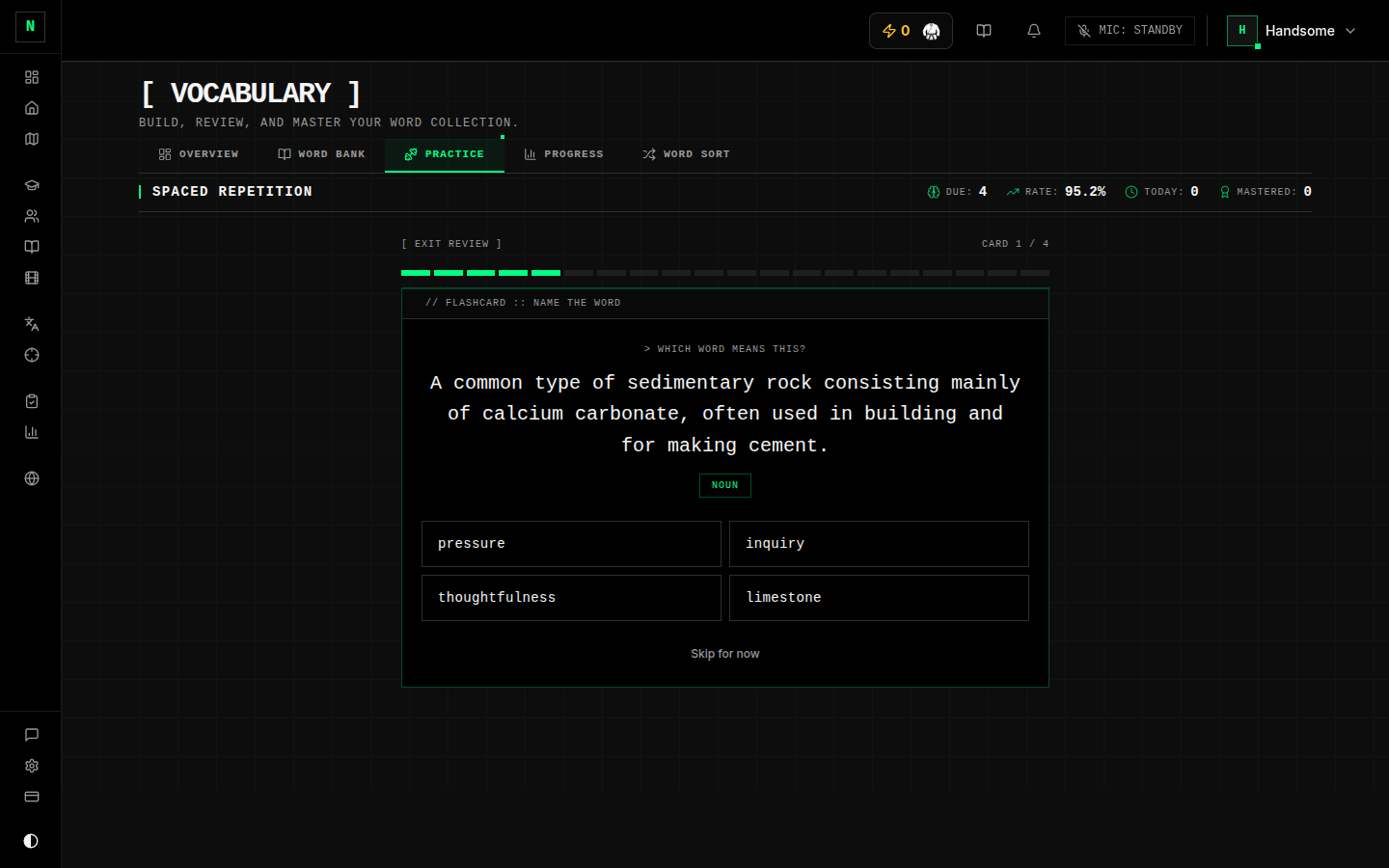
The review screen is the engine of the whole tool. Each day it surfaces the words due for review based on a spaced-repetition schedule:
- A word (or its meaning) is shown.
- You recall it / pick the right meaning.
- Get it right and the word is scheduled further out; miss it and it comes back sooner.
Over time, words graduate from new → learning → reviewing → mastered. The header shows how many are due today and your success rate.
Practice
The practice screen offers extra drills you can run any time (not just what's due) — for example dictation (hear a word, type it) and scramble (unscramble the letters). You can set how many words and which levels/parts of speech to include.
SoundRight (pronunciation)
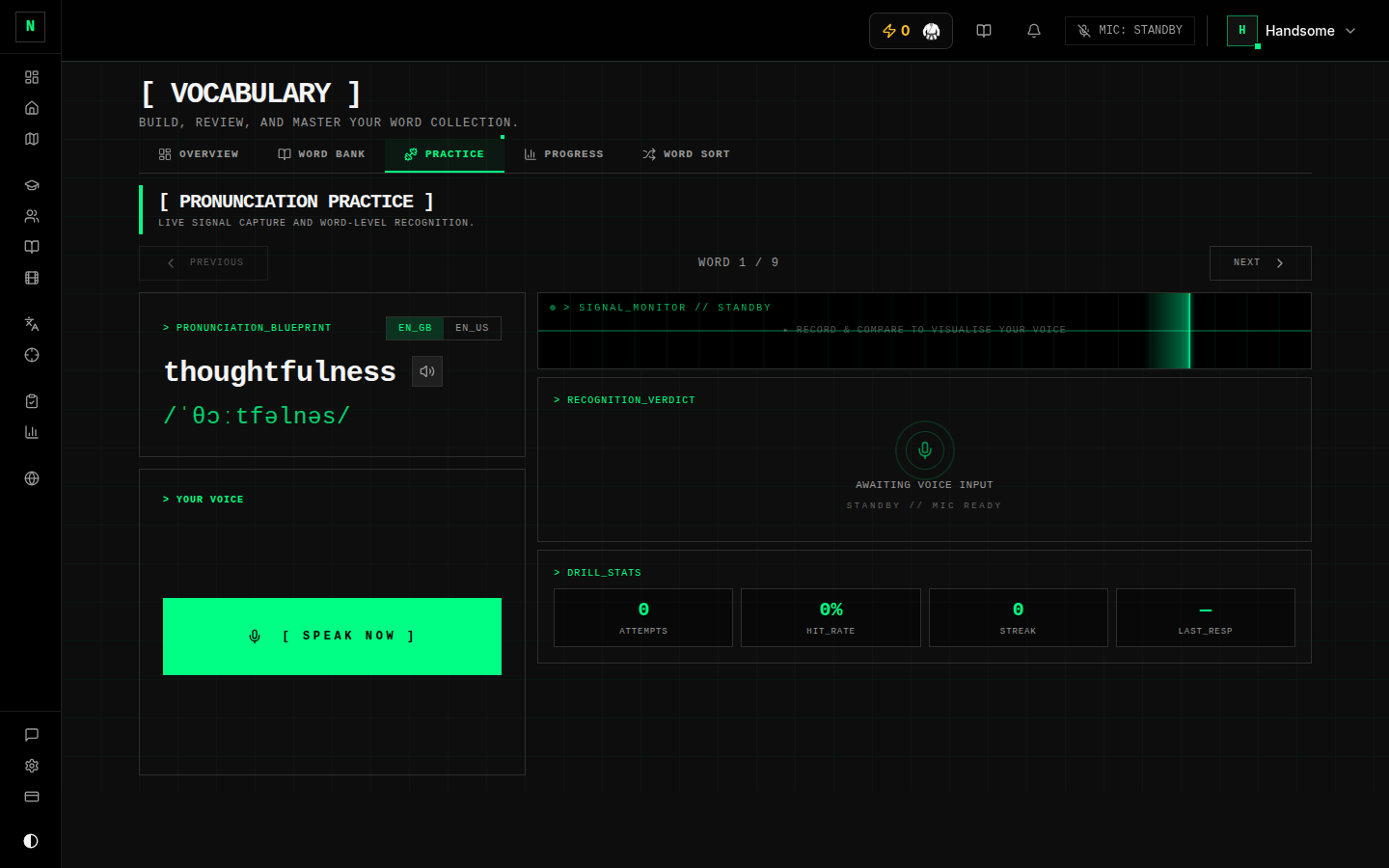
SoundRight lets you practise saying your words. It plays a reference pronunciation, you record yourself, and you compare. It runs in your browser using built-in speech recognition, so:
SoundRight relies on your browser's built-in speech recognition. It works best in Chrome/Edge/Safari; in browsers without it you can still hear the reference and compare, just without automatic scoring.
Word Sort
Word Sort is a light puzzle game — sort word tiles into groups by meaning. A relaxed way to reinforce relationships between words.
Progress
The progress screen visualises your whole vocabulary: totals, how many are mastered vs. in progress, and a breakdown by CEFR level and by learning stage. It's the quickest way to see your strengths and gaps.
Tips
- Do your daily review first. It's short and it's where retention actually happens.
- Save words in context while reading — words learned from real sentences stick better than lists.
- Use SoundRight on words you can read but can't confidently say — pronunciation is a real Speaking criterion.